
01
Start free — Pulse Check
10 minutes, zero cost. We measure your baseline live and tell you honestly what your PC is leaving on the table.
- FPS & latency baseline
- Bottleneck report (CPU / GPU / RAM)
- Honest plan recommendation
Remote gaming PC optimization by real engineers — FPS boost, stutter fix and lower input lag & system latency. We tune BIOS, Windows, GPU and network live, fix crashes and overheating along the way, and prove every gain with a before / after benchmark. No gains, no fee.
*Results vary by hardware and game.
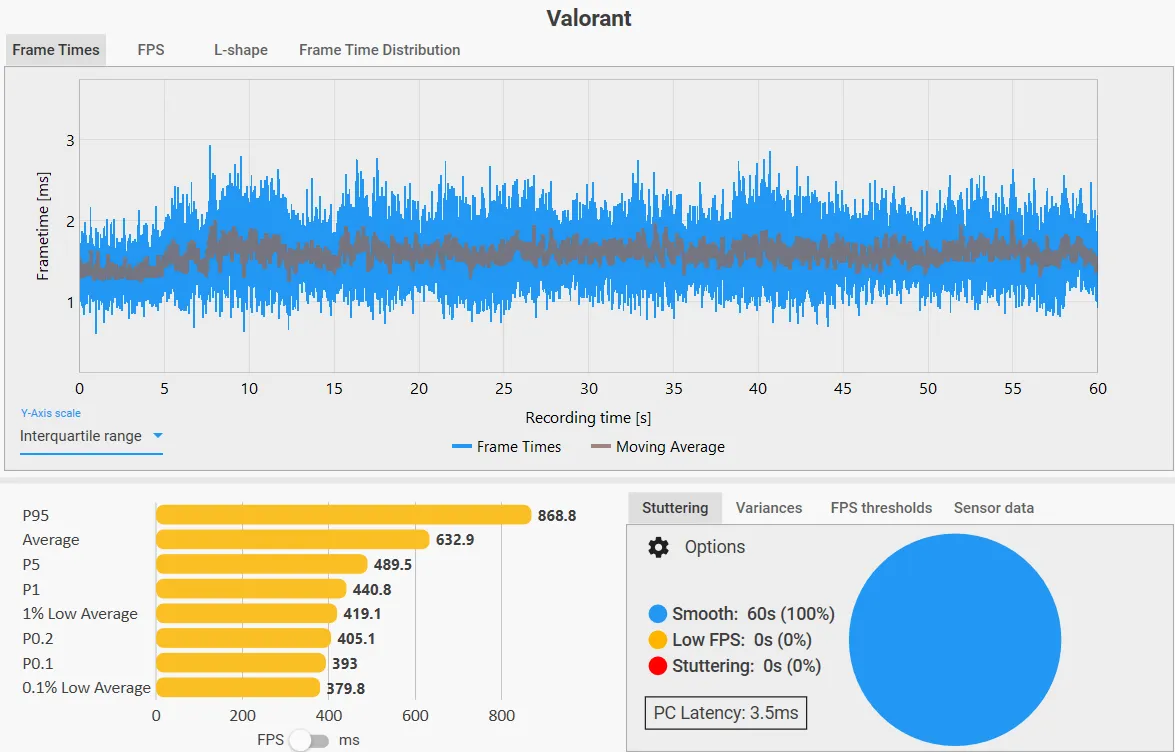
No shipping, no downtime, no mystery scripts. You watch every change happen live.
10 minutes, zero cost. We measure your baseline live and tell you honestly what your PC is leaving on the table.
Pick your tier — Ignition, Overdrive or Apex. A DQT engineer connects remotely while you watch every change happen on your screen.
Every session ends in the DQT Performance Lab: a verified before/after benchmark of your real games.
⚡ Every session ends in the DQT Performance Lab — a verified before/after report with FPS, 1% lows and latency.
Estimate your bottleneck and discover what gains are realistic for your exact setup.
Answer a few questions about your setup and we'll estimate realistic gains — and which plan actually fits you.
From deep tuning and repairs to studio-grade production support — all measured, documented, and backed by our no-gains, no-fee guarantee.
Memory profiles (XMP / EXPO), power limits, resizable BAR, latency-focused settings — tuned safely for your exact board.
Debloat, background services, scheduler and power-plan tuning so your games get the CPU — not your bloatware.
Clean driver setup, control-panel optimization and per-game settings for maximum frames without visual mush.
NIC tuning, buffer and QoS settings to cut ping spikes, packet loss and input-to-display delay.
Undervolting for lower temps and quieter fans, safe overclocking for extra speed, fan curves that stop throttling — cooler AND faster.
Polling rates, USB configuration and display settings so what you do on the mouse happens on the screen — instantly.
We diagnose and repair the problems that ruin your sessions:
For the best results we recommend our light, debloated Windows install before deep tuning: a clean OS with the junk stripped out — no bloatware, minimal background services — so nothing old interferes with our tweaks and every resource goes to your games.
No sketchy "FPS booster" apps, no registry bombs, no stability trade-offs. Everything we change is documented and reversible.
You receive a complete list of every setting we touched and why — so you (or any technician) can audit it later.
If a tweak doesn't hold up after a week of real play, we hop back in and fix it. Overdrive and Apex plans include follow-up support.
Editing workstations and pipelines tuned for smooth playback, fast exports and flawless high-resolution timelines.
Clean, professional-grade sound — low-latency monitoring, calibrated routing and mixes that translate on every system.
End-to-end studio setups built for reliability, so sessions run without dropouts, glitches or downtime.
Color-accurate, responsive design rigs for polished, brand-ready visuals at any scale.
The result: high-quality output, clear professional-grade audio and visually refined content — ready for brands, businesses and media production.
Our engineers are bilingual, working primarily in Arabic and English — for smooth communication with regional and international clients alike.
Here's the math almost nobody does on their own rig.
Say you spent $2,800 on your PC and it runs 200 FPS — that's $14 for every single frame you paid for. After our tuning, the same machine can push around 280 FPS. Those 80 extra frames are performance already sitting in your hardware, unused.
Same machine. Zero new parts. And if we can't measure real gains, you don't pay — those frames are already inside your PC. We just set them free.
*Illustrative example — your real numbers depend on your exact hardware. The free Pulse Check measures them for you.
Every paid plan starts with a baseline benchmark and ends with proof of gains.

See what your PC is leaving on the table.

The core cleanup every gaming PC needs.

Deep tuning for competitive play.

Maximum stable performance, verified.
If your games stutter, your FPS feels low for your hardware, or your PC runs hot and loud, it's almost never a hardware problem — it's an optimization problem. Gaming PC optimization tunes every layer that quietly steals performance: Windows bloat and background processes, GPU drivers and in-game settings, BIOS and memory (XMP / EXPO) timings, power and thermal limits, and network routing that adds input lag.
A proper tune-up raises your average FPS and — just as importantly — your 1% lows, so frame drops and micro-stutter disappear. Undervolting lowers temperatures and fan noise while holding performance; safe overclocking pushes it further. Laptops and prebuilt PCs usually gain the most, because they ship with conservative defaults and extra background software eating your frames.
DQT does all of this remotely while you watch, fixes crashes, blue screens and overheating along the way, and proves the result with a verified before/after benchmark of your real games — FPS, 1% lows and system latency. If we can't measure a real improvement, you don't pay.
Yes. We only apply stable, tested settings appropriate to your exact hardware, we stress-test anything performance-critical, and every change is logged and reversible. We never install third-party "booster" software.
After booking you receive a session link. We connect through a standard remote-desktop tool, you watch everything we do on your own screen, and you can take back control at any moment.
Yes. Issue fixing is part of the service: crashes, freezes, blue screens, overheating, driver conflicts, slow boot and unwanted-software cleanup. If something is broken, we fix it before we tune it — a tuned but unstable PC helps nobody.
Years of leftover programs, half-removed drivers and old "optimization" tools silently conflict with new tweaks. Our light Windows setup is a clean install with the bloat stripped out — faster boot, fewer background processes stealing CPU, and a predictable base — so the gains are bigger and they last. It's optional, you can add it to any booking, and we guide you through backing up first.
Undervolting feeds your CPU/GPU slightly less voltage for the same speed — lower temperatures, quieter fans, often better sustained performance. Overclocking raises clocks for extra speed. We apply both conservatively, stress-test every profile, and only with your consent (Overdrive includes undervolting; Apex adds safe overclocking).
It depends on your hardware and how unoptimized the system is. Typical gains are 20–60% on untouched systems. The free Pulse Check tells you what's realistic for your machine before you pay anything.
No — enabling documented features like XMP/EXPO or adjusting fan curves doesn't void warranties. Overclocking in the Apex plan is discussed with you first and only applied with your consent.
If we can't measure a meaningful improvement during your session, you don't pay — simple as that. The before/after benchmark decides, not opinions.
Absolutely. Laptops and prebuilt systems usually benefit the most because manufacturers ship them with conservative defaults and extra background software.
Paid plans are paid before the session starts. Payments are non-refundable, with one exception: if we can't measure a real FPS / performance improvement during your session, you get a full refund. The before/after benchmark decides — not opinions.
We connect only through the session link you approve, you watch your screen the entire time, and access ends the moment the session ends. We never open or copy personal files — and as part of the service we scan for and remove suspicious files and harden your system's security.
From 10 minutes (Pulse Check) up to 3 hours (Apex). You don't have to sit through all of it — be there at the start and the end, and we'll ping you if a decision is needed.
Start with the free Pulse Check — in 10 minutes we measure your system live and tell you honestly which tier fits, no pressure. Want an instant estimate? Use the Discover Your Gains tool above. Rule of thumb: Ignition is the core cleanup, Overdrive adds BIOS tuning and undervolting for competitive play, and Apex is maximum stable performance — fresh Windows, safe overclocking and priority support.
Send us a message — we'll reply with an honest recommendation for your setup.
Or reach us directly: [email protected] · Discord
Pick a plan and a preferred date — we'll confirm by email.
Your reference:
We'll email you shortly to confirm your slot.